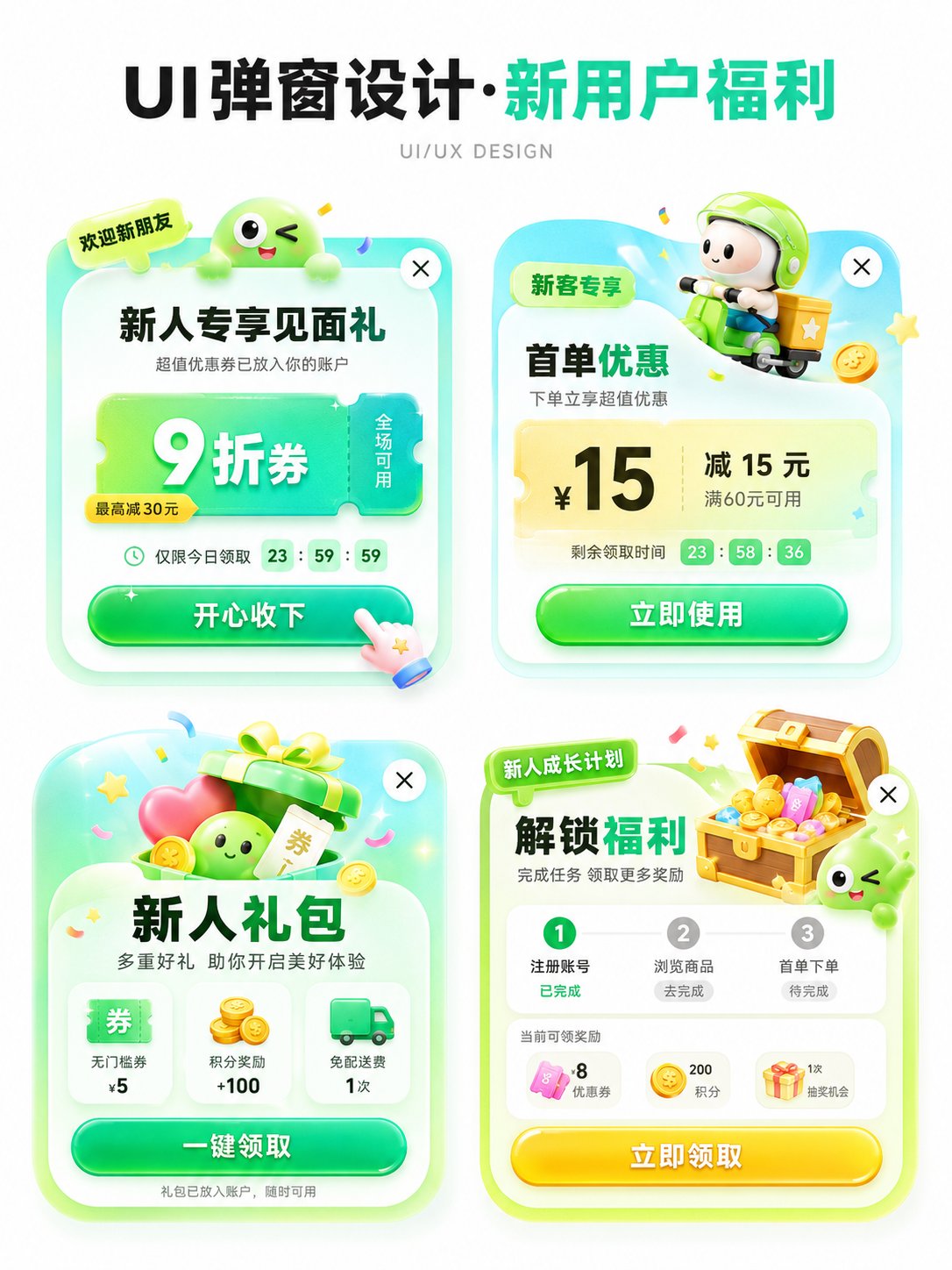
Generate an APP operations pop-up design presentation image in 【aspect ratio】, with the theme 【theme】.
Use a pure white background and an overall clean, concise design-proposal presentation style.
The layout is a 2 x 2 grid, showing 4 different pop-up concepts in one image.
All four pop-ups should revolve around the same theme, but each should have slightly different angles, benefits, icon elements, and information structures.
Add a clear, eye-catching main title 【main title】 at the top. The subtitle can be “UI/UX DESIGN” or similar design presentation text.
【Theme】 can be replaced with: new-user benefits / version upgrade / 618 shopping festival / membership activation / check-in rewards / holiday campaign / invite rewards / limited-time offer / growth tasks / points redemption.
【Main color palette】 can be replaced with: green palette / blue-purple palette / red-orange-gold palette / black-gold palette / pink-purple palette / fresh candy colors.
【Style keywords】 can be replaced with: high click appeal, light skeuomorphism, 3D cartoon, gummy texture, operations campaign pop-up, APP benefits pop-up, gamified operations visual, rounded cards, soft shadow, gradient button.
【Four sub-concept directions】 can be replaced with:
1. 【Concept 1】
2. 【Concept 2】
3. 【Concept 3】
4. 【Concept 4】
Each pop-up card must feel like a real APP pop-up structure, including:
1. A top label or scenario tag, such as “limited-time special,” “new-user exclusive,” “version benefit,” “upgrade experience,” etc.
2. A core title area that highlights the campaign theme or main benefit.
3. A main benefits area using large numbers, strong discounts, or key selling points, such as coupon amount, discount, membership price, upgrade benefit, red-packet amount, task reward, etc.
4. Supporting information, such as usage conditions, countdown, applicable scope, growth steps, or reward details.
5. A clear CTA button, such as “Claim Now,” “Accept Happily,” “Open Now,” “Update Now,” “Try It,” “Grab It Now,” etc.
6. Keep a close button in the upper-right corner to enhance the feeling of a real UI pop-up.
The four pop-ups need to share a unified visual system, but each small card should have its own variation:
copy structure can differ;
decorative graphics can differ;
icons can differ;
benefits can differ;
component layout can vary slightly;
but all of them should still belong to the same theme as a set of four design concepts.
Visually strengthen these traits:
white-background presentation, clean page, no complex background;
vertical design presentation image suitable for social media posting;
clear 2 x 2 layout with enough spacing between the four cards;
rounded pop-up cards, soft shadows, slight glowing edges;
large buttons with strong click appeal;
bright colors overall, but not dirty or chaotic;
use a moderate amount of 3D small elements to add energy, such as gift boxes, coins, red packets, shopping bags, rockets, crowns, membership cards, treasure chests, bells, megaphones, medals, coupons, small mascots, etc.;
elements must support the pop-up theme and must not overpower the main design.
Layout requirements:
the top headline should be eye-catching and suitable as a “series cover”;
the four pop-ups should be centered and arranged neatly, forming an organized design board;
information hierarchy must be clear: title first, then the four pop-ups;
each pop-up should look like a realistic, implementable APP operations interface reference, not an ordinary poster;
Chinese text should be concise and clear, reduce overly small text, and avoid visual confusion caused by too much information;
keep the quality of an “AI visual proposal image,” suitable for UI/UX inspiration, operations campaign display, and product proposal sharing.